BEFORE & AFTER CONTENT FOR SERVICE BUSINESSES
Turn every finished job
into proof of what you can do.
Save the before. When the job is done, match the same view, add the after, and create a polished photo or reveal video — ready to post.
5 exports freeNo credit cardWorks on your phone
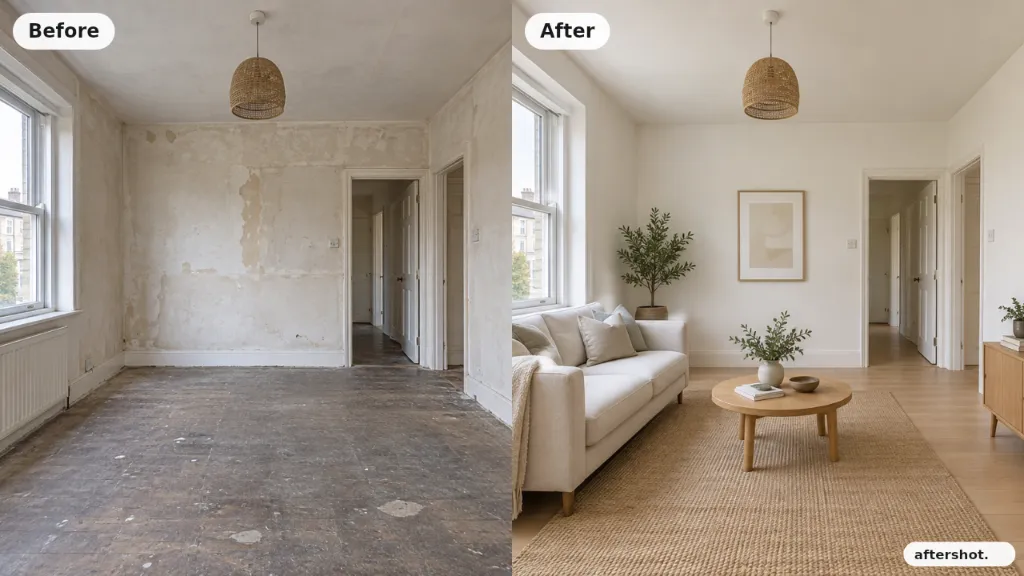
BUILT AROUND THE JOB
Before now.
After later. Same view.
Capture the starting point in seconds. Finish the work. Come back when you are ready and turn the result into something worth posting.
- 01
Save the before.
Take the starting photo before you begin, or choose one from your library. Keep it in Aftershot while you get on with the job.
- 02
Match the after.
When the job is finished, use your saved before photo as a see-through guide to help capture the result from the same view.
- 03
Post the transformation.
Create a polished comparison photo or short reveal video, download it, and post it where your customers can see it.
MATCH THE VIEW
Same angle.
Bigger difference.
A before and after is more powerful when the view matches. Aftershot shows your saved before photo over the camera so you can line up the finished shot more closely.

 Before-photo guideSaved before · see-through guide
YOUR FINISHED JOBS ARE ALREADY CONTENT
Show customers
what you can do.
Renovation, cleaning, detailing, beauty or landscaping — if the work creates a visible difference, Aftershot helps you turn that result into a post.
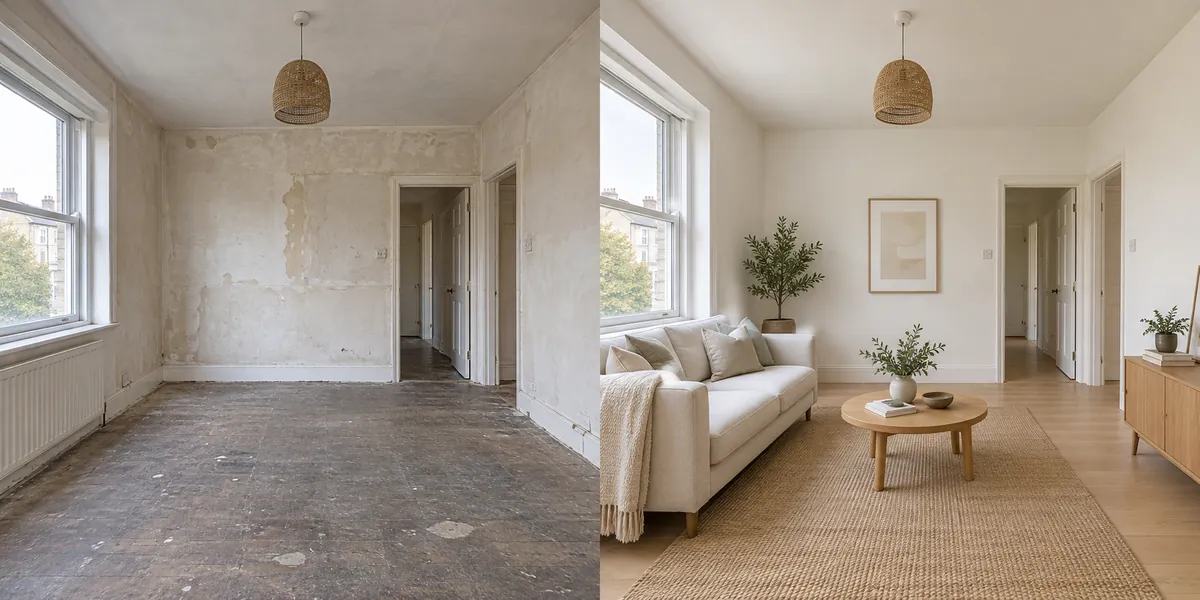
From building site to finished room.
Put the room you started with beside the result you are proud of. The change is clear at a glance.
Make one with my photosExample transformations for demonstration. Your comparisons use your own photos.
TRY IT ON YOUR NEXT JOB
Your next finished job
can become your next post.
Start with the before photo now. Finish the comparison when the work is done. No credit card, no app-store download, no long setup.
Your first 5 finished photos or videos.
- 5 exports in total
- Comparison photos and MP4 reveal videos
- 720p output with Aftershot watermark
- Up to 5 active projects
One finished photo or video = one export. Free exports do not renew monthly.
A FEW ANSWERS
Then you’ll know.
What exactly does Aftershot do?
Aftershot turns your before and after photos into a comparison image or a short MP4 video. Put the photos side by side, stack them, or use a moving reveal to show the change. You choose the size, adjust the photos, and download the result.
Do I need to film a video?
No. A reveal video is made from your two still photos. Add the before and after, choose Video, and Aftershot creates the movement between them.
Can I use it on my phone?
Yes. Open Aftershot in your phone browser and create a free account. Choose photos from your library or use your camera. It also works on a computer. No app-store download is needed.
What if I only have the before photo?
That is enough to start. Take or upload your before photo and choose Save for later. When the job is finished, sign in with the same account, open the saved project and add the after.
How does the before-photo camera guide work?
In your saved project, tap Add after and choose Take photo. Your before photo appears as a see-through layer over the camera view. Move your phone to match the original angle and distance, and adjust Guide visibility to make the overlay lighter or stronger. The overlay is not included in the photo you take.
Does Aftershot use AI to change my photos?
No. Aftershot arranges the photos you provide. You can crop, align, rotate and add text, but it does not generate or improve the result of your work.
Where can I share the result?
Download your comparison image or MP4, then upload it to Instagram, Facebook, TikTok, your website or a customer message. Choose portrait, square or landscape to suit the post. On supported phones, you can also share directly to an available app. Aftershot does not post automatically.
What is included for free?
5 finished photos or videos in total, with 720p output and an Aftershot watermark. Each finished image or video uses one export. This is a lifetime starter allowance, not a monthly allowance.
YOUR WORK DESERVES TO BE SEEN
Finish the job.
Show the difference.
Your next customer should see what you can do.
Create my first before & afterFree account · No credit card · Works in your browser